Find the dates before the money arrives
To calculate your three-paycheck months, start with one scheduled payday, count forward or backward in 14-day intervals, and group the dates by month. Any month containing three paydays is a three-paycheck month. Our 3-Paycheck Month Calculator does that counting for you and identifies the exact third-paycheck dates.
Knowing those dates early gives you time to decide what the money should do. You might build savings, pay down a credit card, reduce a mortgage or car loan, invest for the future, fund a trip, or improve your home. Choose the goal before payday so the money has a place to go when it arrives.
Why some months have three paychecks
Biweekly pay means every two weeks, or every 14 days. That schedule usually produces 26 paychecks in a calendar year. A monthly budget based on two paychecks uses 24 of them: 2 × 12 = 24. The other two fall in months with a third payday.
Some schedules produce 27 paychecks in a year, giving you three months with a third paycheck. The calculator counts actual scheduled dates rather than assuming every year has 26.
If you are paid twice a month, such as the 1st and 15th, you are on a semimonthly schedule. That normally means 24 paychecks a year. This calculator is for biweekly pay; it does not model weekly or semimonthly schedules.
“Extra” means beyond a two-paycheck monthly budget. These checks are part of your regular annual pay. If your budget already spreads all 26 paychecks across the year, you may have assigned this money to expenses already.
Enter your payday and confirm your schedule
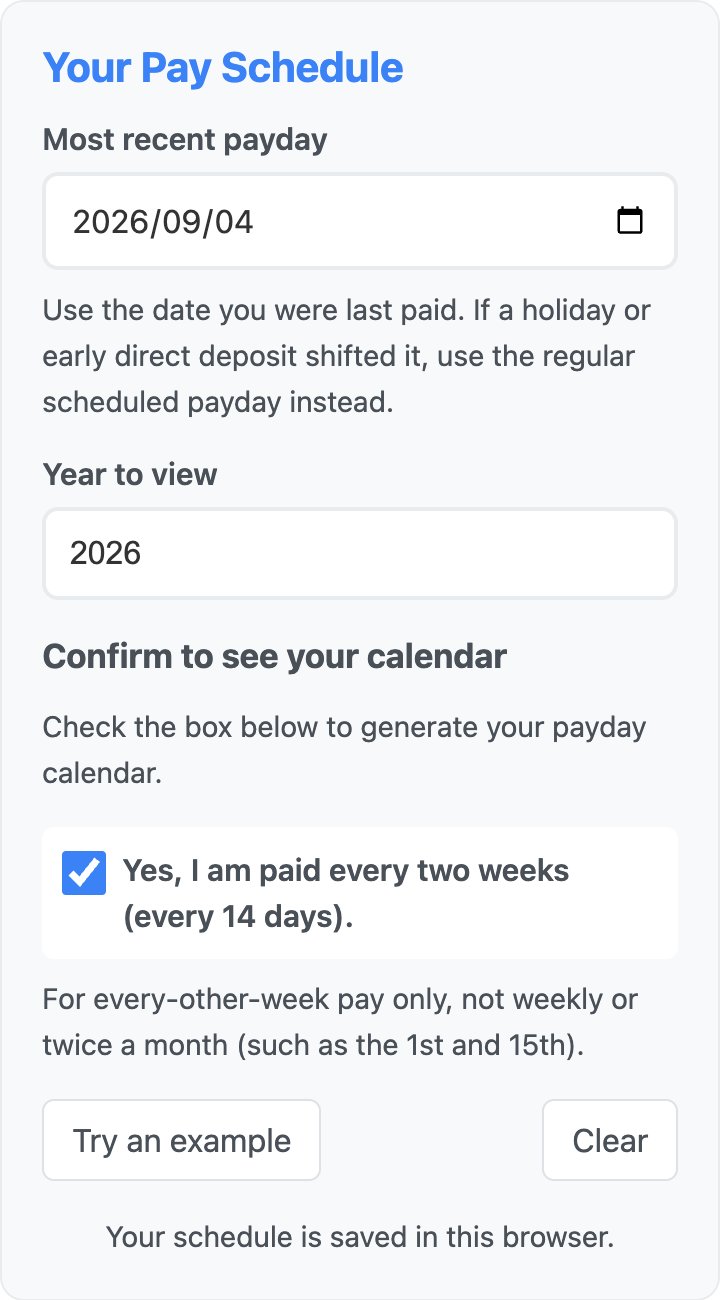
Open the calculator and fill in the Your Pay Schedule panel:
- Most recent payday: enter a recent scheduled payday. If a bank holiday or early direct deposit moved your deposit, use the regular scheduled date instead.
- Year to view: choose the year you want to plan. You can use a recent payday to look ahead to next year, provided your schedule continues unchanged.
- Confirm biweekly pay: check “Yes, I am paid every two weeks (every 14 days).” Your results appear automatically once the date, year, and confirmation are valid.
You do not need to enter your salary or link a bank account. This tool calculates dates; you decide how much of each paycheck is available for your goals. Try an example fills in a sample schedule, and Clear removes the entered schedule.
Read your third-paycheck dates
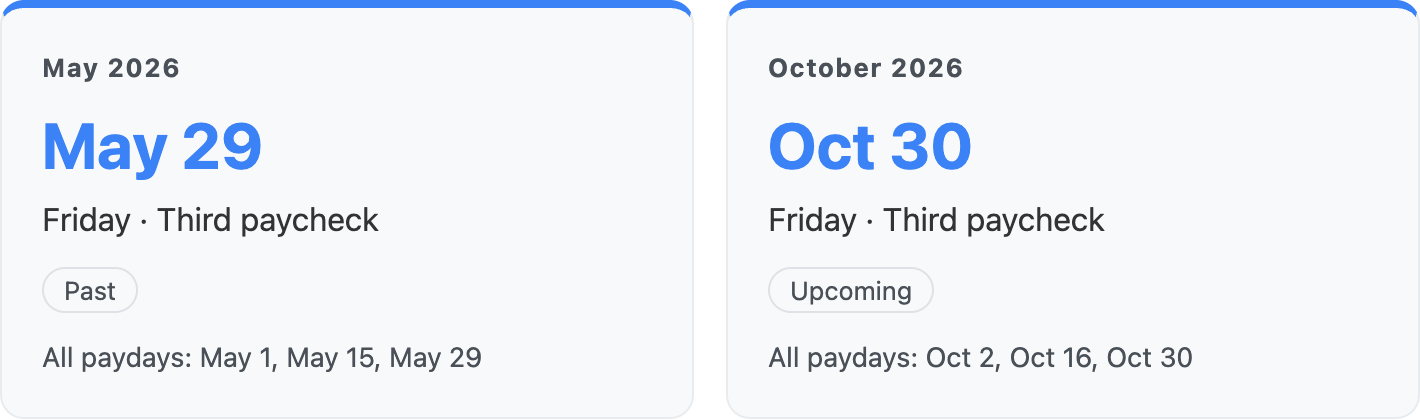
For a hypothetical worker whose most recent scheduled payday is September 4, 2026, the calculator finds these three-paycheck months in 2026:
| Month | Scheduled paydays | Third paycheck |
|---|---|---|
| May 2026 | May 1, 15, and 29 | Friday, May 29 |
| October 2026 | October 2, 16, and 30 | Friday, October 30 |
The calculator reconstructs the whole selected year, so it includes dates before the payday you entered. In this September example, May is marked Past and October is Upcoming. The full calendar below the results lists every payday and highlights each third check.
These are scheduled dates, not guaranteed deposit dates. Holidays, payroll changes, early deposits, or switching jobs can change when the money actually arrives, sometimes moving it into another month. Confirm the dates against your employer’s payroll calendar before scheduling a payment or transfer.
Add the dates to your calendar
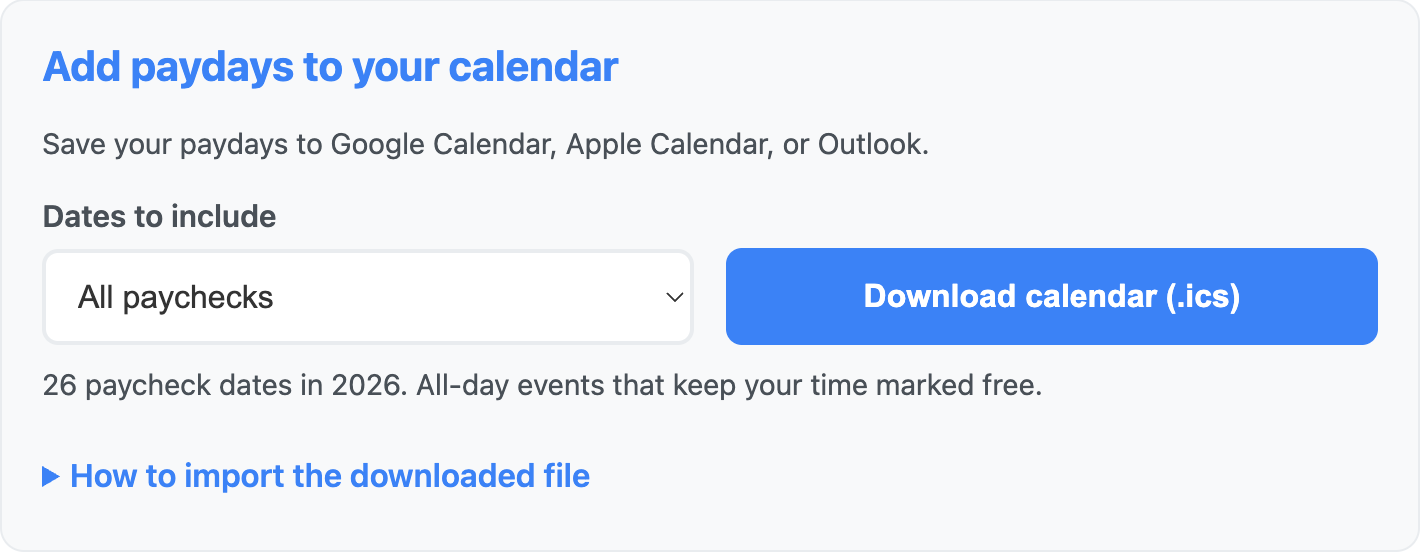
In Add paydays to your calendar, choose the dates you want:
- All paychecks: the full schedule for the selected year.
- Extra paychecks only: just the third payday in each qualifying month.
- Regular paychecks only: the first two paydays in each month.
Click Download calendar (.ics), then import the file into your calendar app. Expand How to import the downloaded file for Google Calendar, Apple Calendar on Mac, and Outlook instructions. The events include a link back to the calculator.
Each file contains one recurring series. The full schedule repeats every two weeks, with third paychecks labeled “Extra paycheck” within that series. The extra-only and regular-only options skip the other dates. To remove an imported series, delete a payday and choose your calendar app’s option for the entire series.
The file covers the selected year, including past dates. It is a one-time import and will not update if your schedule changes. Import one option for a given schedule; importing overlapping files may create duplicate events.
Events imported from older files as individual paydays will not automatically become a series. Remove those old entries before importing the new file. A separate calendar named “Paydays” can make the schedule easier to manage.
After importing, add your own planning reminder before the next third paycheck. The calculator exports payday events; it does not set up transfers or debt payments.
Give the extra paycheck a job
Start with what must be covered before your next payday: bills, groceries, transportation, minimum debt payments, and any expenses already assigned to this check. Use your expected take-home deposit, rather than gross salary, to work out what remains.
Then choose a main goal. You can split the money, but you do not need to fund every goal from one check.
| Goal | A concrete plan for the money |
|---|---|
| Savings | Add to an emergency reserve or set aside money for a known upcoming bill. |
| Credit card debt | Make an additional payment toward a high-interest balance after covering required payments. |
| Mortgage or car loan | Ask the servicer how to make an extra principal payment and check the loan’s terms first. |
| Investing | Invest for long-term goals, including retirement through an IRA or increased 401(k) payroll contributions, subject to eligibility and contribution limits. |
| College savings | Save for future college costs through a 529 education savings plan. |
| Travel | Build a trip fund for transport, lodging, meals, and activities before booking. |
| Home improvements | Save toward a repair or project using a written estimate and room for unexpected costs. |
Build a cash buffer
A third paycheck can help start or replenish an emergency fund. The amount you need depends on your circumstances; even a small reserve can help with an unexpected bill. Keep money for emergencies accessible, and give planned expenses their own budget so they do not quietly use up that reserve.
Pay down debt with a clear target
If you carry high-interest credit card debt, an additional payment can be a useful priority. Keep required payments current and compare interest rates when deciding which balance to tackle.
For a mortgage or car loan, check how the lender applies extra payments before sending money. Ask how to direct the payment toward principal, whether it changes your next required payment, and whether any prepayment penalty applies. Keep enough cash available for upcoming expenses rather than committing the entire check automatically.
Match investing and spending goals to their timelines
Money for a long-term goal may be suitable for investing, depending on your cash reserves, debts, risk tolerance, and account eligibility. Investments can lose value. Money needed soon for a trip or home project has a different job: it needs to be available when the bill comes due. A savings account can be an option for these short-term goals.
Travel and home improvements are valid goals too. Decide what the trip or project can cost, work out how much you already have, and assign part of a future third paycheck to the gap. Planning early gives you time to adjust the scope instead of relying on an unplanned credit card balance.
Example: make a plan before your third paycheck arrives
The calculator shows that your next third paycheck will arrive on October 30. You expect $2,500 to land in your bank account.
First, cover what you still need. After reviewing your budget, you set aside $500 for groceries, transportation, and other expenses before your next payday.
That leaves $2,500 − $500 = $2,000 to put toward your goals.
Next, decide where that $2,000 will go. For example:
| Purpose | Amount |
|---|---|
| Additional credit card payment | $1,200 |
| Emergency savings | $500 |
| Travel fund | $300 |
| Total assigned to goals | $2,000 |
Your full paycheck now has a plan: $500 for living expenses and $2,000 for goals. When the deposit arrives, confirm the amount and upcoming bills, then make the payments and transfers you planned.
These amounts are just an example. Choose goals that fit your situation, whether that means paying down debt, saving for college, investing, or funding a home project. The useful habit is deciding before payday. The Savings Rate Calculator can help you see how your saving choices fit into your broader plan.
Look ahead to a year with three extra paychecks
The optional Your Next Year with 3 Extra Paychecks section finds the first year at or after your selected year with 27 scheduled paydays. For the September 4, 2026 example, it finds 2032, with third paychecks on January 30, July 30, and December 31. Another biweekly schedule can produce a different year.
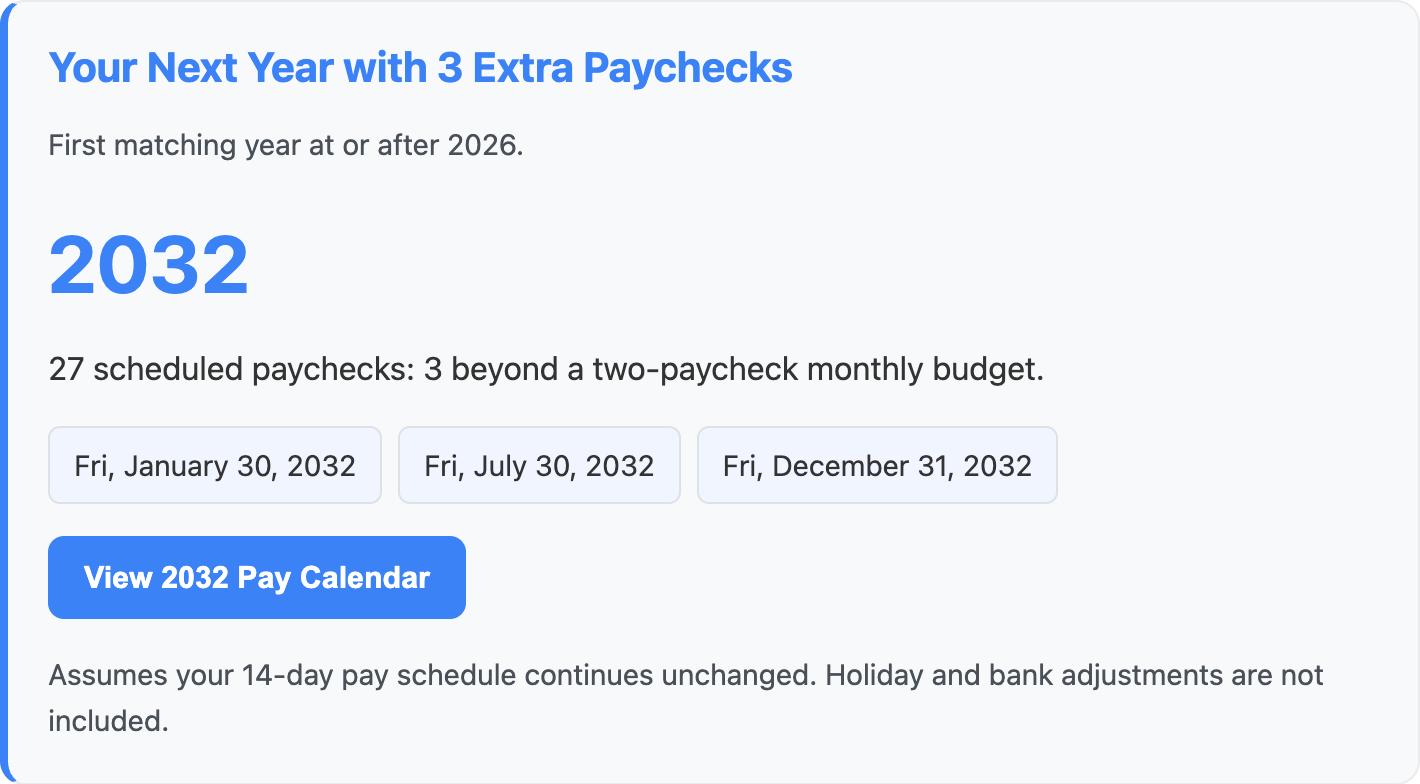
Use View 2032 Pay Calendar to switch to that year, or change Year to view yourself. You can hide the future-year section using its checkbox. Treat distant dates as planning estimates, especially when a listed payday falls on a holiday.
Open the 3-Paycheck Month Calculator, find your next third paycheck, and write down one goal for the money. A date on the calendar and a plan made ahead of time can turn an easily spent deposit into progress you can see.